Posts

Showing posts from July, 2019

Java Date Format Validation with Regular Expressions: A Step-by-Step Guide

Image
1. Introduction Validating date formats is an essential aspect of many software applications. It ensures that the user inputs a date in the correct format, reducing the risk of errors and inconsistencies in data. Regular expressions are a powerful tool for validating date formats. In this tutorial, we will explore how to validate date formats using regular expressions in Java.

Automating Google Search with Selenium WebDriver: Handling AJAX Calls

Image
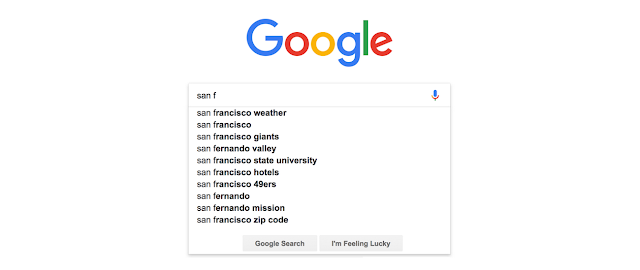
Google Search represents one of the most  complex yet essential  web elements to automate because: It uses  AJAX (Asynchronous JavaScript and XML)  for real-time suggestions The UI frequently changes, requiring  robust locator strategies It's the perfect case study for  mastering dynamic element handling Key Learning Objectives ✔ Understand how AJAX powers Google's instant search suggestions ✔ Implement  Explicit Waits  to handle dynamic content ✔ Automate the complete search suggestion workflow ✔ Build  failure-resistant  test scripts "Google's search automation is the ultimate test of your Selenium skills - it combines dynamic waits, precise element location, and real-world AJAX handling." - Sarah Johnson, Lead QA Automation Engineer   Table of Index What is AJAX Search? Why Use Explicit Wait for AJAX? Step-by-Step Automation Guide Complete Java Code Solution Common Errors & Fixes Best Practices FAQs What is AJAX Search? AJAX...

Automate GoDaddy.com Features with Selenium WebDriver

Image
This post contains two assignments that helps you to learn Selenium browser commands. These are the simplest assignments. So, this assignment post is the best suited to start your automation tester journey. 1. Automate Browser Actions on GoDaddy.com If you are a beginner in automation testing and looking forward to writing your first Selenium code, then this post is the best destination for you. This assignment will teach you the basic commands of Selenium Webdriver to perform basic actions like., Launch the browser, maximize the browser window, validate the page title, and close the browser. In this post, you will find very basic step-by-step assignments which will upgrade your understanding of Selenium Webdriver and its commands. 1. Test Case - Open Godaddy.com and maximize the browser window. Steps to Automate:

Selenium WebDriver Locators & Finding Elements – Complete Guide with Examples

Image
Selenium WebDriver automates web browsers by locating and interacting with web elements such as buttons, text boxes, links, dropdowns, and more. The key to reliable automation is choosing the right locator strategy and using the findElement() and findElements() methods effectively. Why Locators Matter Web pages are collections of HTML elements, and Selenium needs a way to pinpoint the exact element you want to interact with. Locators are selectors used by WebDriver to identify elements on the page. Using effective locators makes your tests stable, fast, and maintainable . Selenium supports multiple strategies to locate elements using the By class. Most strategies are built into findElement() and findElements() calls. Selenium Locator Types (With Examples) The most commonly used locator strategies supported by WebDriver are: 1. ID Locator — Most Preferred IDs are meant to be unique on a page, making this locator the fastest and most stable. Java Example WebElement username ...